
Receive candidates from a recruiter
When a recruiter who uses HireBest works on a role for you, they send the job, its cipher and their best candidates into your own HireBest company. You see each candidate with the recruiter's cipher rating, and run the rest of the process as usual. The recruiter's own company stays separate: you see only what they send.
Who can do this
Everyone on the job's team in your company sees what the recruiter sends, under the usual rules for roles and confidential jobs. Your Super Admin sees everything in your company, including every job a recruiter sent.
Before you begin
The recruiter can send only to a company they belong to. If your company was set up for you by HireBest at the recruiter's request, the recruiter is already a member, usually as Super Admin until you sign on. If you already use HireBest, invite the recruiter as a User; see Manage team members.
What arrives
- The job, the first time. It arrives with its title, job description and level, and with HireBest's standard interview plan. The level is matched by name to your own job levels, and left blank when none matches. Your company builds its own hiring team; the recruiter joins it as TA/HR Partner.
- The cipher. It arrives as the recruiter left it: a draft arrives as a draft, which your team can edit and approve; a finalised cipher arrives as finalised. Your copy of the cipher is yours to change.
- Each candidate, at New on the job. They bring their name, email, phone, LinkedIn link and CV, and the recruiter's submitted cipher ratings, each labelled with who made it. The recruiter may also share their notes and their screening interview (transcript and analysis). Each rating arrives with a short "Recruiter's screening" interview it belongs to. Each rating shows the name of the person who made it, even when that person is a colleague of the recruiter and not a member of your company.
- A notification, in HireBest and by email, under your notification settings. The job's hiring manager and talent acquisition partners are told about every send. When a job arrives for the first time, your company's Admins and Super Admins are told too, so someone can build the job's team.
Work with a sent candidate
-
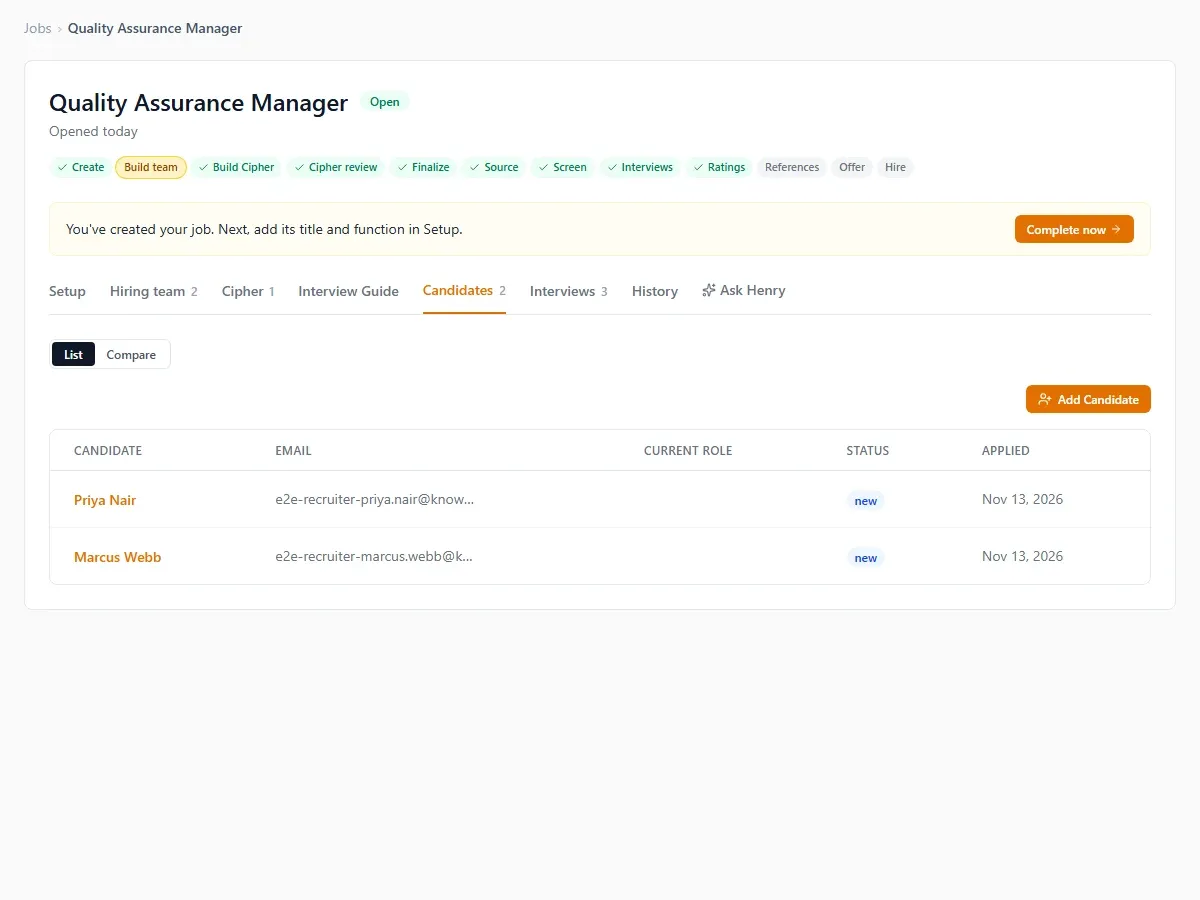
Open the job and select the candidate. The candidate list looks as it always does.
-
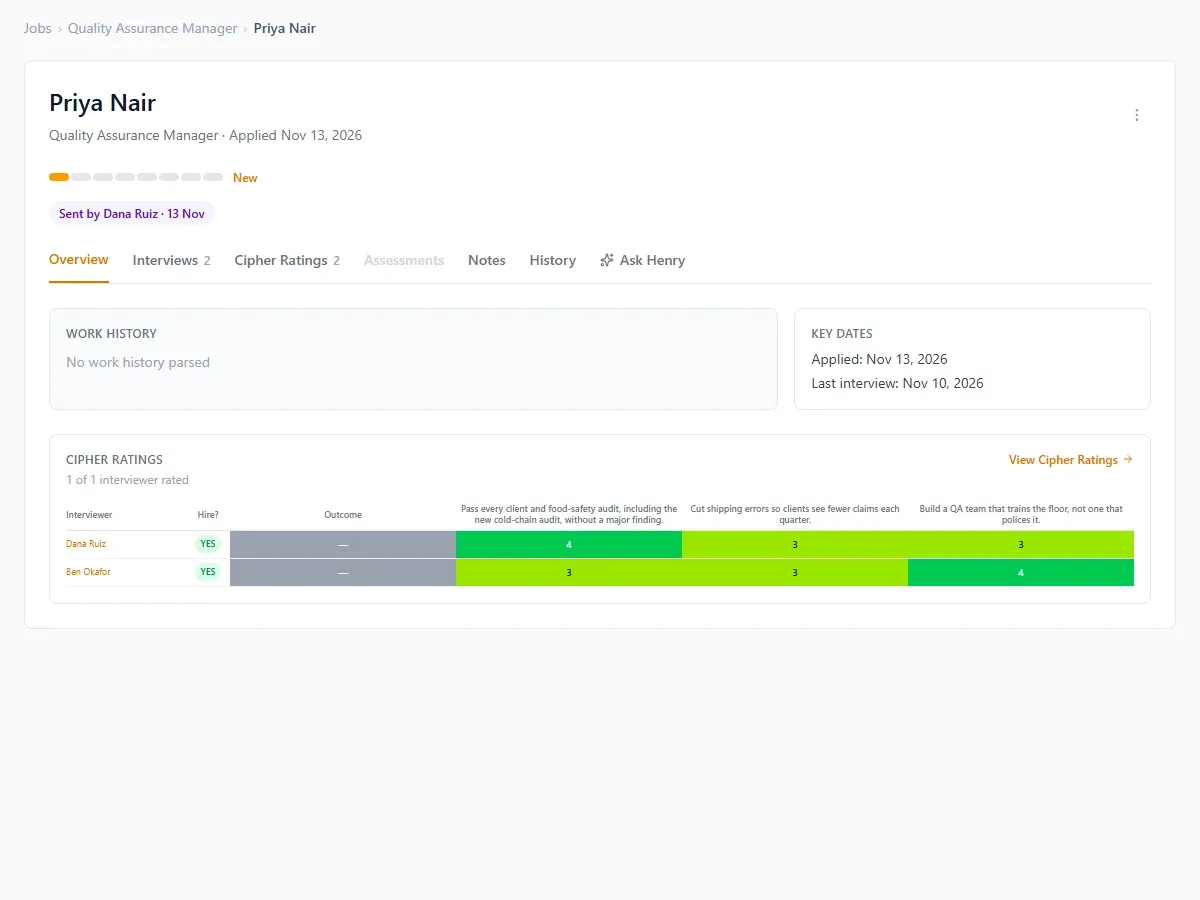
On the candidate's page, "Sent by" names the recruiter and the date. If no rating was sent, the page shows "No recruiter cipher rating".
-
If the person was already in your company, the page says "Already in your HireBest since" with the date, and the send adds a new application to your existing candidate rather than a duplicate person. If another recruiter sent them first, it says "Also sent by" with that recruiter's name and the date. The recruiter is not told either of these.
-
Interview, rate and decide as you would for any candidate. The recruiter's rating is an ordinary rating by a member of the job's team, so it follows your company's usual rules for when ratings are shown.
The candidate's history in your company starts at the send. It records who sent the candidate, from which company, when, what was shared, and that the recruiter confirmed they had the candidate's permission to present them.
What happens next
- The recruiter works alongside you on that job, as TA/HR Partner: they can see the job's candidates, interviews, ratings and notes, move candidates, add notes and update their rating. They see none of your other jobs or candidates unless you add them to those jobs' teams.
- To limit what the recruiter can do, give them a smaller role on the job's team, or remove them from it. Archiving the recruiter in your company also stops any further sends from them.
- If you change the cipher, the recruiter can choose to take your version into their own copy. Nothing you do changes the recruiter's company.
- Later sends for the same job add candidates to it; the job and cipher are not sent again.
Problems and recovery
- A candidate was sent to you by mistake: reject them on the job, or contact support@hirebest.ai to have the send removed.
- The level is blank: the recruiter's level name did not match one of yours. Set the level on the job.
- You don't see a sent job: you are not on its team. Ask your Super Admin to add you.