
Mention a colleague
A mention asks one colleague a direct question. Type @ in a Cipher comment or a candidate note, then pick the person from the list. HireBest sends them an email at once and shows the mention in their notifications.
Who can do this
- Cipher comments: anyone who can open the Cipher.
- Candidate notes: the job's Hiring Manager or TA Partner, or a Super Admin. Other people see the notes but cannot add one.
Who you can mention
The list shows only the people who can already open the Cipher or the candidate's application. A mention never gives a person new access.
If a colleague is not in the list, they cannot see this item. For example:
- A Cipher that is not final is open only to the people who manage the job. A Cipher in review is also open to its reviewers.
- A confidential job is open only to its hiring team and to Super Admins.
- A person on a job's interview team sees a candidate only when they interview that candidate.
To mention someone who is not in the list, first ask the hiring manager to add them to the job's team.
Mention someone in a Cipher comment
-
Open the job, then open the Cipher tab and click the Cipher.
-
Click Comments under the Charge, the Outcome, a deliverable or an effort. For a comment on the whole Cipher, use General Comments. To answer a comment, click Reply.
-
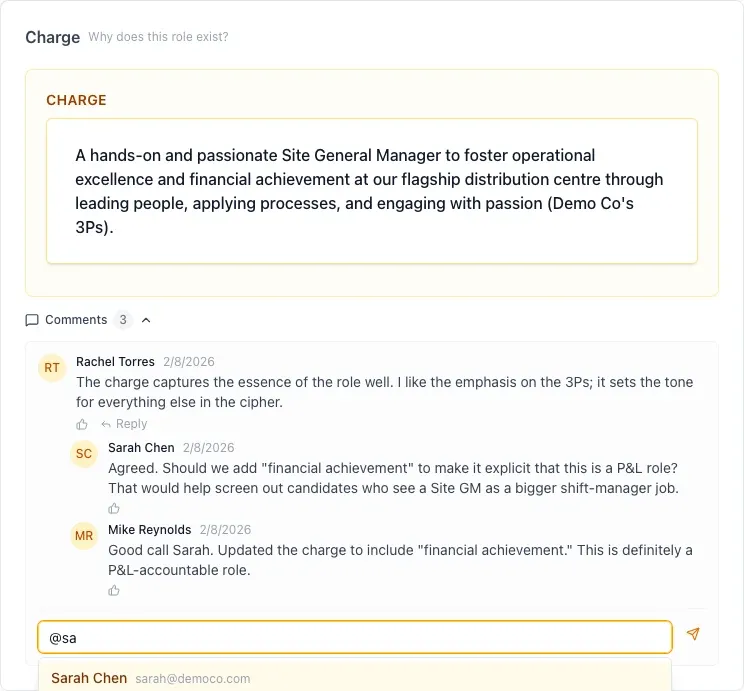
In the comment box, type @ and the first letters of the person's name. The @ must be at the start of the text or after a space.
-
Use the arrow keys to select the person, then press Enter or Tab. You can also click the name. Press Esc to close the list.
-
The box now shows the person's name inside a short code that starts with @[. Do not change this code. After you post, HireBest shows only the name.
-
Finish the comment and press Enter to post it. Press Shift+Enter to start a new line.
Mention someone in a candidate note
-
Open the candidate's application, then open the Notes tab.
-
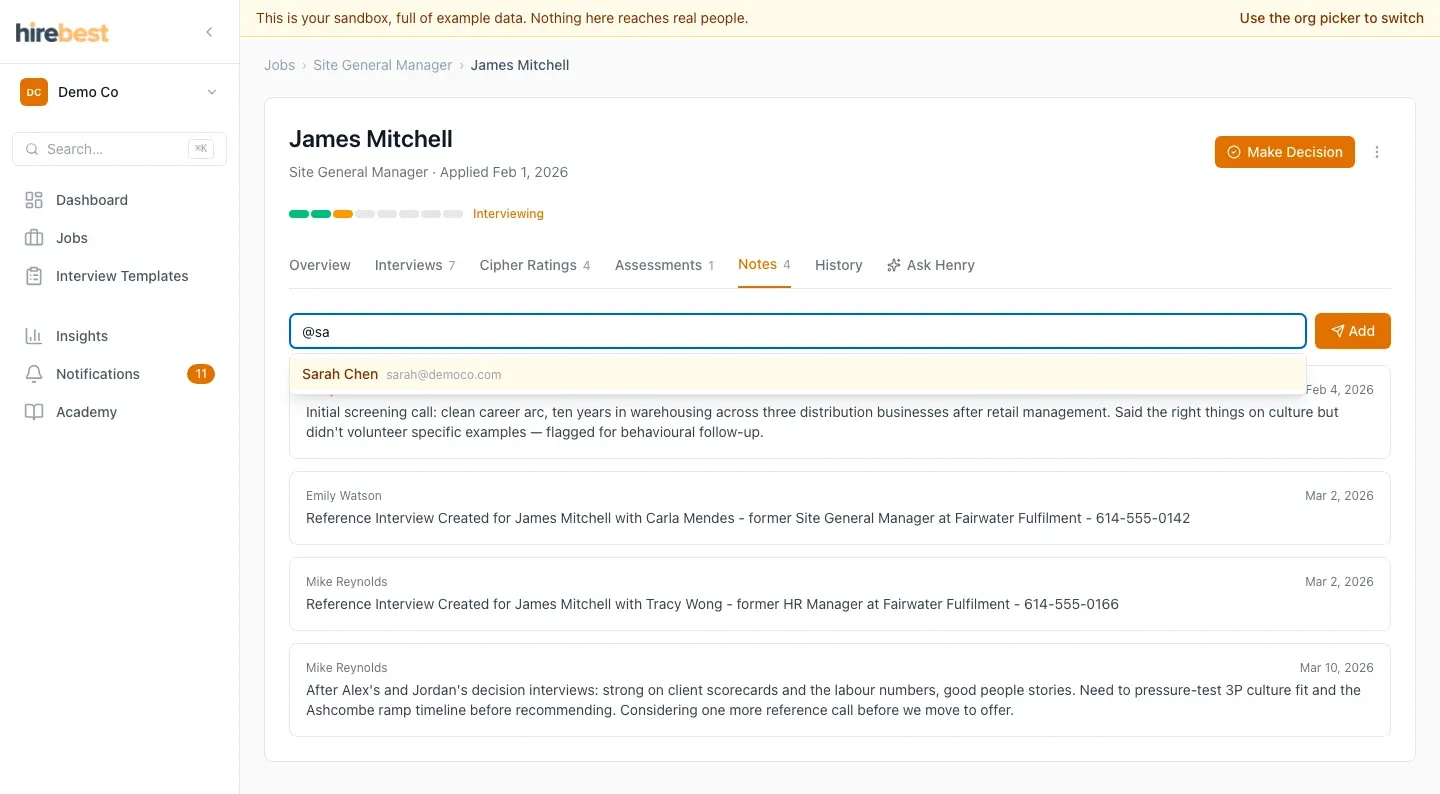
Type the note. Type @ and the first letters of the person's name.
-
Select the person and press Enter. The box shows the name inside a short code that starts with @[. Do not change this code.
-
Press Enter or click Add to add the note. Press Shift+Enter to start a new line.
What the person receives
- An email with the subject "Your name mentioned you". It names the job (and the candidate, for a note) and shows the full comment or note. The Open in HireBest button opens the comment or the note.
- A notification on the Notifications page: "Your name mentioned you on …". It opens the same place as the email.
A team member who usually gets a notification for each new Cipher comment gets only the mention for that comment, not two messages.
Your own name is not in the list. If you pick the same person two times in one comment or note, they get one message.
Turn mention emails off
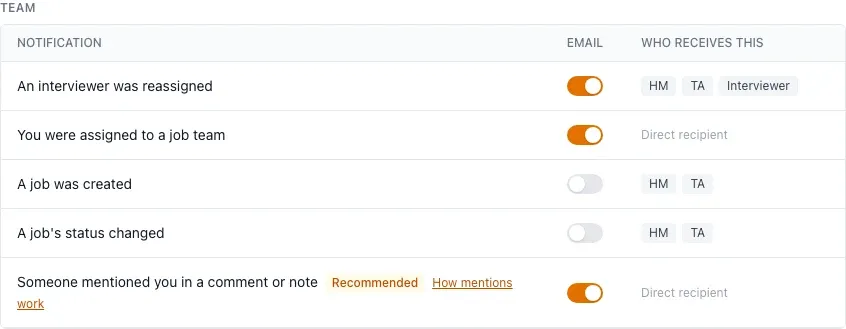
Each person can stop mention emails for themselves. Open Account, then Email Preferences, and turn off Someone mentioned you in a comment or note. The mention still shows in their notifications. HireBest recommends keeping it on. If your organization made this type required, the switch is greyed out and stays on.
An Admin can turn mentions off for the whole organization. See Control notifications for your organization.
Common problems
- I typed a name and nobody was told: you must pick the person from the list. Text such as "@sam" that you type without picking stays plain text and sends nothing.
- The list says "No one else can see this": nobody else can open this item yet. Ask the hiring manager to add the right people to the job's team.
- Two people have the same name: the list shows each person's email after the name. Pick the right one.
- The person did not get an email: they may have turned mention emails off, or an Admin may have turned off emails for the organization. The mention still shows in their notifications unless an Admin turned mentions off for everyone.
- You work in your sandbox: a mention in the sandbox sends no email. The notification still shows.
- You cannot add a note: only the job's Hiring Manager, the TA Partner or a Super Admin adds notes. Ask the hiring manager.